




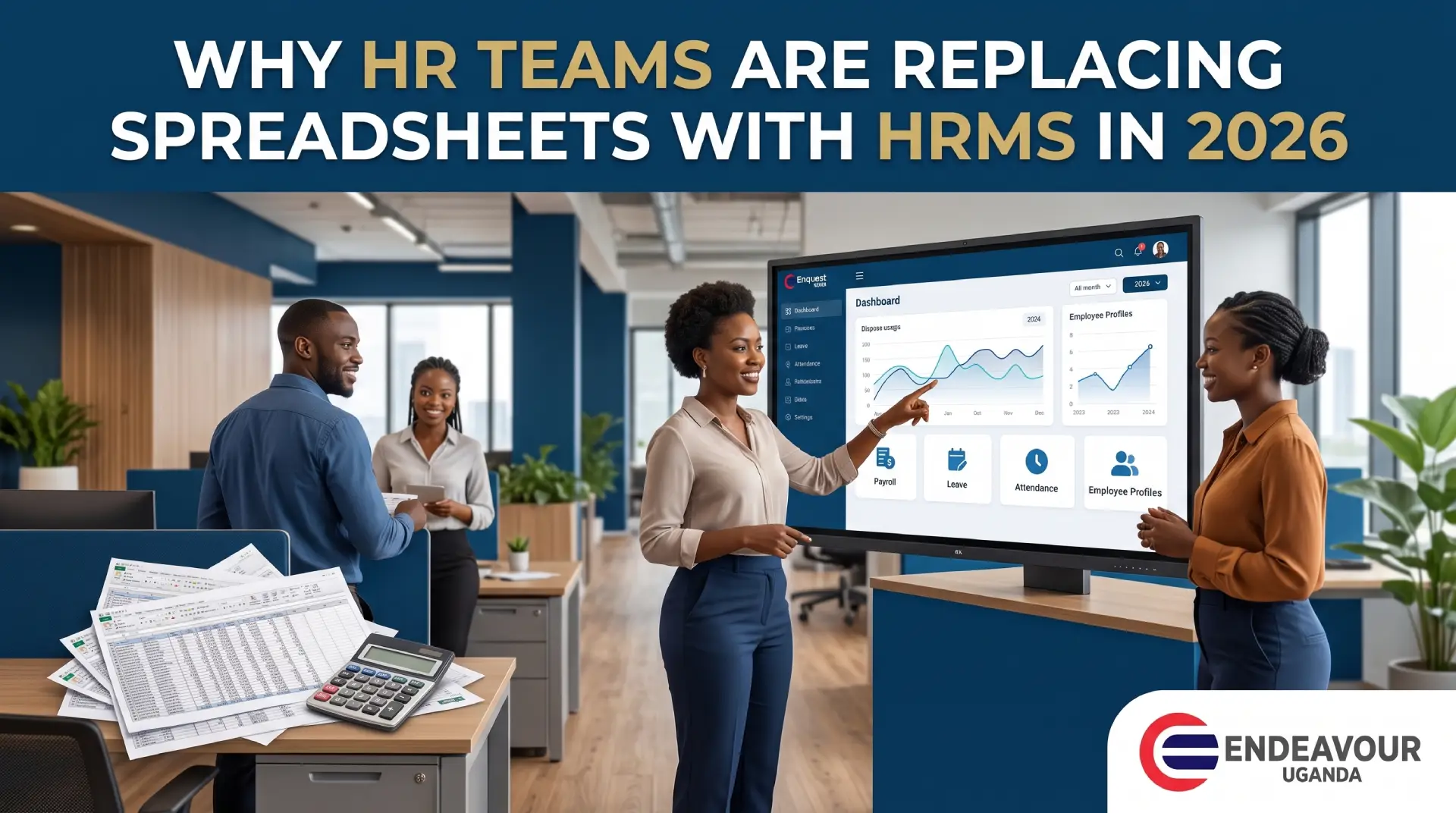
For many businesses, spreadsheets have been part of HR management for years.
Employee details may be stored in one Excel file. Attendance may be maintained in another. Leave records may exist in separate sheets. Payroll calculations may depend on multiple spreadsheets, while performance reviews are tracked through documents or email.
This approach can work when an organization is very small.
But as the workforce grows, HR administration becomes more complicated.
More employees mean more records, more attendance data, more leave requests, more payroll calculations, more compliance requirements and more opportunities for information to become inconsistent.
That is why businesses are increasingly looking at HRMS software in Uganda to replace disconnected spreadsheets with a more centralized employee-management system.
For businesses in Uganda, Enquest HRMS by Endeavour Uganda brings together employee management, payroll, time and attendance, biometric attendance, face recognition, leave, shifts, overtime and other HR functions in one platform.
The move is not simply about replacing Excel.
It is about creating a more connected way to manage employees.
Why Did Businesses Start Using Spreadsheets for HR?
Spreadsheets became popular because they are familiar, flexible and relatively easy to start using.
A small business may create a simple employee sheet containing:
- Employee name
- Job title
- Department
- Phone number
- Salary
- Joining date
- Leave balance
- Attendance
- Other HR information
As the business grows, additional worksheets are often added.
One file may handle payroll.
Another may handle attendance.
Another may track leave.
Another may contain recruitment information.
Another may be used for performance reviews.
The problem is that these spreadsheets can eventually become disconnected.
HR teams may have to copy information from one file into another.
That is where errors and administrative delays can begin.
What Is HRMS Software?
HRMS stands for Human Resource Management System.
An HRMS is software designed to help organizations manage employee information and HR processes digitally.
Depending on the platform, an HRMS can include:
- Employee records
- Payroll
- Time and attendance
- Leave management
- Shift management
- Overtime tracking
- Recruitment
- Performance management
- Employee self-service
- Reports
- Biometric attendance
- Face recognition attendance
Instead of maintaining separate spreadsheets for every process, an HRMS can connect multiple HR functions through a centralized system.
For businesses looking for HR Software Uganda, the key advantage is that employee information can become part of a structured HR workflow rather than remaining scattered across multiple files.
10 Reasons HR Teams Are Moving From Spreadsheets to HRMS Software in 2026
1. Employee Data Becomes Easier to Manage
One of the biggest challenges with spreadsheets is maintaining employee information across multiple files.
Imagine an organization with 150 employees.
The HR team may have one spreadsheet for employee records, another for attendance, another for payroll and another for leave.
If an employee changes department, job title, phone number or salary, the information may need to be updated in multiple locations.
This creates unnecessary administrative work.
An employee management software Uganda solution can centralize employee information.
With Enquest HRMS by Endeavour Uganda, businesses can manage employee information as part of a broader HR platform rather than relying entirely on disconnected spreadsheets.
This creates a more organized employee-management process.
2. Payroll Becomes More Connected to HR Data
Payroll is one of the areas where spreadsheet errors can become particularly costly.
Payroll may depend on information such as:
- Employee salary
- Allowances
- Deductions
- Attendance
- Absence
- Overtime
- Leave
- Employee status
- Department
- Working days
When this information comes from different spreadsheets, payroll teams may need to manually consolidate it every month.
A modern payroll software Uganda platform can connect payroll with employee and attendance information.
Enquest HRMS is designed to combine HR and payroll processes so businesses can reduce unnecessary manual data transfer.
For businesses that want a dedicated payroll solution, Pay Master Payroll Software can also be explored as part of Endeavour Uganda’s payroll technology offering.
3. Attendance Tracking Becomes Easier
Attendance is another area where spreadsheets can become difficult to maintain.
A business may start with a simple attendance sheet.
Employees arrive, attendance is recorded, and someone later transfers the information into Excel.
But as the workforce grows, HR teams may need to track:
- Check-in
- Check-out
- Late arrival
- Early departure
- Absence
- Breaks
- Shifts
- Overtime
- Multiple locations
A dedicated time attendance software Uganda solution can automate much of this process.
For example, Endeavour Uganda’s Time Master Software focuses on employee time and attendance management.
When attendance becomes digitally connected to HR and payroll, HR teams do not need to repeatedly recreate the same information in different spreadsheets.
4. Leave Management Becomes More Organized
Leave management can become surprisingly complicated when handled manually.
HR teams may need to track:
- Annual leave
- Sick leave
- Maternity leave
- Paternity leave
- Other approved leave
- Leave balances
- Leave approvals
- Leave history
With spreadsheets, employees may need to contact HR directly to check their remaining leave balance.
Managers may need to send approval messages through email or WhatsApp.
HR then updates a spreadsheet.
This creates several opportunities for delays and inconsistencies.
A leave management system can provide a structured workflow for leave requests, approvals, balances and records.
Instead of manually updating several files, HR can manage leave through a centralized HR platform.
5. Overtime and Shift Management Become Easier
Businesses with shift-based employees face additional HR challenges.
For example, employees may work:
- Morning shifts
- Evening shifts
- Night shifts
- Weekend shifts
- Rotating shifts
- Overtime hours
Tracking these schedules manually can become complicated.
An integrated shift management system can associate employees with their assigned schedules.
Attendance records can then be reviewed against those schedules.
Overtime can also be identified and processed according to the organization’s policies.
This is especially important because Uganda’s current Employment Act provides that, absent a written agreement to the contrary, hours worked above 48 hours in a week are regarded as overtime hours for the relevant part of the Act. The Act also requires written employment particulars to include normal working hours, shifts and applicable overtime pay rates.
For businesses, maintaining reliable records can therefore be an important part of effective HR administration.
6. HR Reporting Becomes Faster
With spreadsheets, HR reporting can require considerable manual work.
Management may ask:
How many employees were absent this month?
Or:
Which department has the highest overtime?
Or:
How many employees joined the company this year?
Or:
What is our total payroll?
The HR team may need to open multiple spreadsheets and manually prepare the report.
An HRMS can centralize information and provide structured reports.
This can help HR teams answer operational questions without rebuilding reports from scratch every time.
HR reporting software can also help management view employee information in a more organized way.
7. HR Teams Spend Less Time Repeating Data Entry
One of the hidden costs of spreadsheets is repetitive work.
Consider a new employee joining the company.
HR may need to enter the employee’s details into:
- Employee spreadsheet
- Payroll spreadsheet
- Attendance system
- Leave spreadsheet
- Department list
- Performance tracking file
The same information may be entered repeatedly.
This increases administrative effort.
An HRMS can reduce duplication by allowing employee information to be managed centrally and used across connected HR processes.
That means HR teams can spend more time on employee support and workforce planning rather than repeatedly copying information between files.
8. HR Data Becomes Easier to Control
Spreadsheets can be copied, emailed, downloaded and stored on different computers.
This can create challenges around:
- Version control
- Access permissions
- Data duplication
- Unauthorized changes
- Old copies of employee information
- Missing files
A centralized HRMS Uganda platform can provide more structured access to employee information, depending on the system’s configuration.
Organizations should still establish appropriate access controls, security policies, backups and data-protection procedures.
Technology does not automatically eliminate data-security risks.
It gives businesses tools that can be used as part of a more structured data-management approach.
9. Employee Self-Service Reduces HR Workload
Another reason businesses are moving away from spreadsheets is employee self-service.
Employees may need to:
- View their information
- Request leave
- Check attendance
- View payslips
- Update certain details
- Review HR information
Without an employee self-service system, many of these requests go directly to HR.
For a small team, this can become a significant workload.
An HRMS with employee self-service can allow employees to handle certain routine requests themselves while HR maintains control over the underlying records.
This can make HR operations more scalable as the organization grows.
10. HRMS Supports Business Growth
Perhaps the biggest problem with spreadsheets is that a system that works for 10 employees may not work as efficiently for 100 or 500 employees.
Growth creates more:
- Employee records
- Payroll transactions
- Attendance records
- Leave requests
- Shifts
- Overtime
- Reports
- HR processes
An employee management system Uganda solution can provide a more structured foundation as the workforce expands.
The objective is not necessarily to eliminate spreadsheets from every business process.
Instead, businesses can identify HR processes where centralized automation creates the most value.
Spreadsheet HR vs HRMS Software
| HR Process | Spreadsheet-Based HR | HRMS Software |
| Employee records | Separate files | Centralized records |
| Payroll | Manual calculations/data transfer | Integrated payroll workflows |
| Attendance | Manual entry/import | Automated attendance options |
| Leave | Manual updates | Leave requests and approvals |
| Overtime | Manual calculation | Connected attendance and overtime |
| Shifts | Spreadsheet scheduling | Structured shift management |
| Reporting | Manual preparation | Centralized reports |
| Employee self-service | Limited | Available in supported systems |
| Data access | File-based | Role-based system access |
| Scalability | Becomes harder with growth | Designed for larger workflows |
The exact features depend on the HRMS selected and how the organization configures it.
The Hidden Cost of Spreadsheet-Based HR
Businesses often think spreadsheets are free.
But the software itself is only one part of the cost.
There can also be an administrative cost associated with:
- Manual data entry
- Payroll corrections
- Attendance reconciliation
- Leave tracking
- Report preparation
- Duplicate information
- Data correction
- Employee queries
- Lost or outdated files
- HR staff time
For example, suppose an HR employee spends several hours each month reconciling attendance before payroll.
That time has a cost.
If the same process is repeated every month for several years, the accumulated administrative effort can become significant.
This is why businesses should evaluate HR technology based on total workflow efficiency rather than simply comparing the price of Excel with the price of HR software.
Why 2026 Is an Important Year for HR Automation
HR technology is increasingly moving toward connected systems rather than isolated tools.
The broader African HR technology conversation in 2026 includes automation, integrated HR operations, payroll technology, analytics and cloud-based systems.
For businesses, this means HR automation is increasingly about connecting processes rather than simply digitizing individual tasks.
A business might move from:
Excel → Attendance Software → Payroll Software → HRMS
But a more connected approach can be:
Employee Data → Attendance → Leave → Overtime → Payroll → Reports
That difference matters.
The goal is to reduce unnecessary duplication between systems.
HRMS and the Future of Payroll and Attendance
Payroll and attendance are closely connected.
If attendance is incorrect, payroll teams may need to investigate:
- Absence
- Late arrivals
- Overtime
- Shift attendance
- Working days
- Leave
- Attendance adjustments
This is why payroll and attendance software can be useful for businesses that want to reduce manual reconciliation.
With Enquest HRMS, businesses can bring employee information, payroll, attendance, biometric data, leave, shifts and overtime into a connected HR environment.
For businesses considering broader HR automation, Enquest HRMS by Endeavour Uganda provides an integrated HRMS approach for managing employee information and HR processes.
What About Biometric Attendance?
Modern HRMS platforms can also work with biometric attendance technologies.
Businesses may use:
- Fingerprint attendance
- Face recognition attendance
- Biometric attendance devices
- Digital employee time tracking
A biometric attendance system Uganda solution can help automate employee identity verification and attendance recording.
For organizations considering facial recognition specifically, Face Recognition System in Kampala, Uganda is another relevant Endeavour Uganda solution.
However, biometric technology should be implemented with appropriate privacy, security and data-governance controls.
HRMS and Employee Time Tracking
Manual attendance spreadsheets can make it difficult to maintain accurate working-time records.
A dedicated employee time tracking software solution can provide a structured way to capture working hours.
This becomes particularly useful for businesses with:
- Multiple shifts
- Large workforces
- Multiple branches
- Field employees
- Overtime
- Flexible schedules
- Different departments
Instead of asking HR to manually calculate every employee’s working hours, digital attendance records can provide a more consistent source of information.
What Should Businesses Look for in HRMS Software in Uganda?
Before choosing an HRMS, businesses should consider the actual HR processes they need to manage.
Employee Management
Can the system maintain centralized employee records?
Payroll
Can it support the organization’s payroll workflow?
Attendance
Can it capture and manage employee attendance?
Biometric Integration
Can it connect with supported biometric attendance devices?
Face Recognition
Does it support facial recognition attendance where required?
Leave Management
Can employees request leave and managers approve it digitally?
Shift Management
Can HR assign and manage different employee shifts?
Overtime
Can the system track and report overtime?
Employee Self-Service
Can employees access appropriate HR information themselves?
Reporting
Can management generate useful HR reports?
Security
Does the system provide appropriate access controls and security features?
Local Support
Can the business receive implementation and support assistance in Uganda?
These questions are often more useful than simply asking:
“How much does the HR software cost?”
How Enquest HRMS by Endeavour Uganda Helps Businesses Move Beyond Excel
For businesses in Uganda, the transition from spreadsheets to HRMS does not have to mean changing everything at once.
A business can gradually move important HR processes into a centralized system.
Enquest HRMS by Endeavour Uganda provides functionality across areas such as:
- Employee management
- Payroll
- Time and attendance
- Biometric attendance
- Face recognition
- Leave management
- Shift management
- Overtime
- Employee self-service
- HR reporting
This allows businesses to connect processes that were previously managed separately.
For example:
Employee joins company
↓
Employee record created
↓
Attendance assigned
↓
Shift assigned
↓
Attendance captured
↓
Leave managed
↓
Overtime recorded
↓
Payroll processed
↓
Reports generated
This type of connected workflow is one of the main reasons businesses consider an HRMS software Uganda solution rather than continuing to expand spreadsheet-based processes.
You can learn more about Enquest HRMS by Endeavour Uganda and its HR and employee-management capabilities.
7 Signs Your Business Has Outgrown HR Spreadsheets
Your organization may be ready to evaluate HRMS software if:
1. HR Uses Multiple Spreadsheets
If employee information is spread across many files, centralization may help.
2. Payroll Requires Manual Reconciliation
If HR spends significant time checking attendance and payroll data every month, integration may reduce repetitive work.
3. Employees Frequently Ask About Leave Balances
A digital leave-management process can provide employees and managers with better visibility.
4. Attendance Is Manually Entered
If HR still spends hours transferring attendance data, automation may be worth evaluating.
5. Overtime Is Difficult to Track
Businesses with multiple shifts or overtime should consider structured time tracking.
6. Reports Take Too Long
If management reports require manually combining several spreadsheets, centralized HR data may simplify reporting.
7. HR Cannot Easily Find Employee Information
A centralized employee database can make information easier to organize and retrieve.
How to Move From Excel to HRMS Without Disrupting HR Operations
Businesses do not necessarily need to migrate every HR process simultaneously.
A practical transition can be:
Step 1: Identify Your Current HR Spreadsheets
List all spreadsheets currently used for:
- Employees
- Payroll
- Attendance
- Leave
- Shifts
- Overtime
- Performance
Step 2: Identify Duplicate Information
Find information that is being entered into multiple files.
Step 3: Identify High-Risk Manual Processes
Focus on areas where errors could have a direct operational or financial impact.
Payroll and attendance are often good examples.
Step 4: Clean Employee Data
Before migration, review employee names, IDs, departments, salaries and other information.
Step 5: Configure the HRMS
Set up departments, employee structures, leave rules, shifts, payroll information and access permissions.
Step 6: Train HR and Managers
Users should understand how the new workflow operates.
Step 7: Run a Controlled Transition
For critical processes such as payroll, businesses may choose to validate the new system alongside the existing process for an appropriate transition period.
Step 8: Review and Improve
After implementation, identify which HR processes can be further automated.
Is Excel Completely Obsolete for HR?
No.
Excel can still be useful for:
- Data analysis
- Temporary calculations
- Custom reporting
- Data exports
- Ad-hoc analysis
- Small administrative tasks
The issue is not that spreadsheets are inherently bad.
The issue is using spreadsheets as the primary system for managing increasingly complex HR operations.
A spreadsheet can be an excellent supporting tool.
It becomes more difficult when it becomes the central database for employee information, payroll, attendance, leave, shifts and other HR processes.
HR Automation in Uganda: From Manual Work to Connected HR
The future of HR management is not simply about having more software.
It is about using technology to create better-connected workflows.
For a growing Ugandan business, this might mean:
Manual HR
→ Employee spreadsheets
→ Attendance registers
→ Manual payroll
→ Email leave requests
→ Separate reports
becoming:
Digital HR
→ Central employee records
→ Time and attendance
→ Leave management
→ Payroll integration
→ Shift and overtime tracking
→ Employee self-service
→ HR reporting
This is where HR automation Uganda becomes relevant.
The objective is to reduce repetitive administrative work while giving HR teams better access to structured employee information.
Why Endeavour Uganda Is Relevant to the HRMS Transition
Businesses searching for human resource management software Uganda need more than a generic HR application.
They often need technology that addresses real workforce processes such as:
- Payroll
- Attendance
- Employee management
- Leave
- Shifts
- Overtime
- Biometric attendance
- Face recognition
- Reporting
Endeavour Uganda’s Enquest HRMS is positioned around these connected HR requirements.
Rather than using one application for payroll, another for attendance and multiple spreadsheets for employee records, businesses can evaluate whether an integrated HRMS approach fits their operational needs.
For organizations that prefer professional payroll administration support alongside software, Endeavour Uganda also offers Payroll Outsource Services.
Final Thoughts
The shift from spreadsheets to HRMS software is not really about Excel versus software.
It is about how businesses manage growing amounts of employee information.
Spreadsheets can work well for simple HR administration.
But as organizations grow, HR teams may need to manage employee records, payroll, attendance, leave, shifts, overtime, reporting and employee requests across increasingly complex workflows.
An HRMS Uganda platform can bring these processes into a more structured environment.
For businesses in Uganda, Enquest HRMS by Endeavour Uganda provides an integrated approach to employee management, payroll, time and attendance, biometric attendance, face recognition, leave, shifts and overtime.
The key question for a growing business is therefore not:
“Can we still use Excel?”
It is:
“Is our current HR process giving our team the control, accuracy and visibility they need as the business grows?”
If the answer is becoming difficult, 2026 may be the right time to evaluate a more connected HRMS approach.
Frequently Asked Questions
1. Why are businesses moving from spreadsheets to HRMS software?
Businesses are moving toward HRMS software because growing workforces create more employee records, payroll data, attendance information, leave requests and HR reporting requirements. An HRMS can centralize and connect these processes.
2. What is HRMS software?
HRMS stands for Human Resource Management System. It is software designed to manage employee information and HR processes such as payroll, attendance, leave, shifts, overtime and reporting.
3. Is HRMS better than Excel for employee management?
An HRMS can provide features that spreadsheets do not naturally provide, such as centralized employee records, workflow automation, access controls, employee self-service and integration between payroll and attendance. Excel can still be useful for supporting analysis and ad-hoc work.
4. Can HRMS software manage payroll?
Yes. Many HRMS platforms include payroll management or integrate with payroll systems. Enquest HRMS by Endeavour Uganda includes payroll as part of its integrated HR functionality.
5. Can HRMS software track employee attendance?
Yes. HRMS platforms can support time and attendance management, including integrations with biometric attendance devices depending on the system.
6. Can HRMS software manage leave?
Yes. A suitable HRMS can manage leave requests, approvals, balances and leave records.
7. Can HRMS software track overtime?
Yes. HRMS platforms can support overtime tracking when working-time and shift information are connected to the overtime workflow.
8. Is biometric attendance supported by HRMS software?
Many modern HRMS platforms support biometric attendance integrations. Enquest HRMS by Endeavour Uganda includes biometric and face recognition attendance capabilities.
9. Can small businesses in Uganda use HRMS software?
Yes. Small and growing businesses can use HRMS software when they need a more structured way to manage employee information, payroll, attendance, leave and other HR processes. The appropriate system depends on workforce size and requirements.
10. What HRMS software is available for businesses in Uganda?
Businesses in Uganda can evaluate Enquest HRMS by Endeavour Uganda for employee management, payroll, time and attendance, biometric attendance, face recognition, leave, shifts and overtime management.